Trino Casino app and mobile experience: what is verified
 Available in GB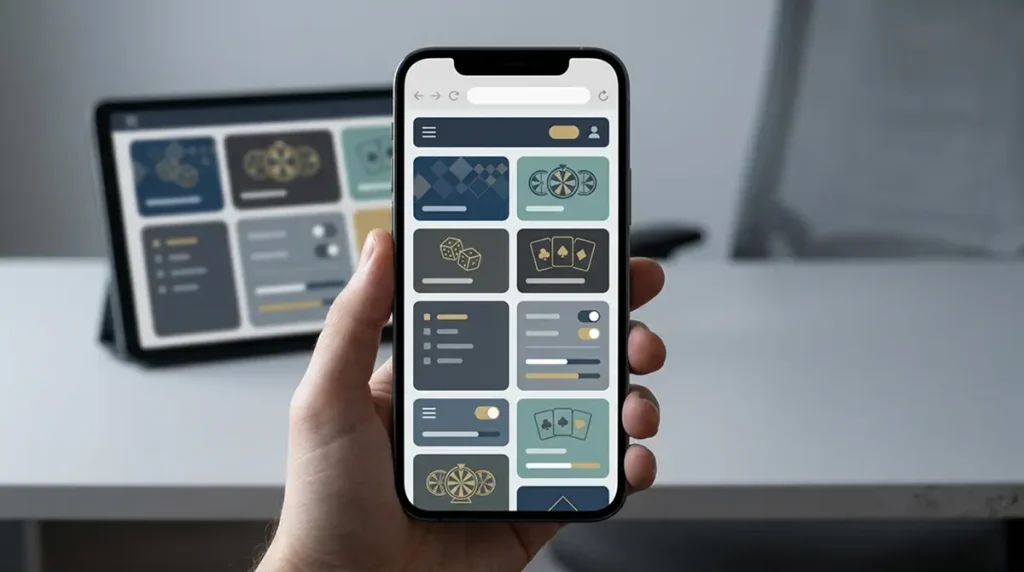
Trino Casino is usable through a mobile browser, while native iOS or Android app availability is not confirmed. Public sources conflict on the downloadable-app question: one current review lists iOS and Android apps, while another says no app is required or available and directs users to the browser version. The safe conclusion for UK readers is therefore browser-first. You can use Trino on a phone or tablet without treating an app-store download as a confirmed product feature. That matters because a mobile casino should be judged on actual access, game usability, payments and account controls – not on whether an icon can be installed.
Table of Contents
- Browser support is the firm claim; native app availability is not
- What a good mobile casino experience needs to do
- Mobile games are a stronger signal than an app-store badge
- Browser-first access has practical advantages
- Connection quality matters most for live play
- Mobile payments deserve a slower final check
- Account verification may be easier on a phone – but follow the live request
- How to compare Trino on mobile with your desktop experience
- UK readers should separate mobile access from regulatory status
- Battery, heat and screen size can change the experience
- Why the mobile-browser version is the safe Trino claim for now
- Trino Casino games: what the library actually offers
Browser support is the firm claim; native app availability is not
Two current sources agree that Trino works on mobile devices, including Android and iOS hardware. Where they diverge is the delivery method. AskGamblers lists mobile apps for both iOS and Android, while Wizard of Odds says users can play through the native mobile browser and do not need to download an application.
Because those statements conflict, do not rely on an app-store search or an APK download as proof of an official Trino app. Open the Trino website in the browser on your device and assess the version that is actually available to your account. That is the most defensible route until the app claim is independently resolved.
What a good mobile casino experience needs to do
Mobile quality is not just whether the home page fits a small screen. A usable casino needs the important tasks to remain usable when moving from desktop to touch: finding a game, opening the cashier, checking a promotion, managing account settings, contacting support and returning to the lobby without losing context.
| Mobile task | What to test | Why it matters |
|---|---|---|
| Game discovery | Search, filters and category navigation | Large catalogues become frustrating if browsing requires repeated scrolling |
| Gameplay | Portrait and landscape fit, touch targets and reload behaviour | A game can technically load while still being awkward to use |
| Cashier | Payment method visibility and clear confirmation screens | Funding mistakes are harder to spot on cramped screens |
| Account | Login, verification prompts and settings | Important actions should not require a desktop rescue |
| Support | Chat window size and ability to keep reference details visible | Troubleshooting is slower if the support UI covers the page |
Mobile games are a stronger signal than an app-store badge
Trino’s broader game catalogue includes thousands of titles, and the brand is consistently described as mobile-capable. For players, the relevant question is whether the games they actually want run cleanly on the device. Modern slots are often built for responsive browser play, while live casino tables can demand more bandwidth, screen space and stable video performance.
Test your priority categories before making mobile access a deciding factor. The Trino Casino Games overview maps the wider catalogue, while the Trino Live Casino page is more relevant if dealer video is your main use case. A phone can handle both, but a comfortable slot session and a multi-panel live table place different demands on the screen.
Browser-first access has practical advantages
A browser version can update centrally without asking the user to install a new application package. It also avoids questions about whether a third-party APK is genuine, whether an app-store listing is current, or whether a download is supported in a particular market. For a product where native-app evidence is conflicting, those are meaningful advantages.
You can also create a home-screen shortcut from many mobile browsers. That can provide quick-launch behaviour without implying that Trino distributes a verified native application. The shortcut still opens the web version, so updates and account access remain tied to the current site.
Connection quality matters most for live play
Mobile slots can tolerate short interface pauses better than real-time dealer video. Live casino uses a continuous stream and interactive betting controls, so unstable Wi-Fi or mobile data can have a more visible effect. If a table freezes or the stream degrades, the first useful diagnostic is whether the connection is stable rather than assuming the casino platform itself is down.
On a constrained connection, close background downloads and avoid switching repeatedly between networks during a session. This is general device hygiene rather than a Trino-specific guarantee, but it helps distinguish local connectivity problems from account or game issues.
Mobile payments deserve a slower final check
A small screen can make payment details easier to skim past. Before confirming a deposit or withdrawal, check the selected method, amount, destination details and any live terms shown in the cashier. This is especially important for crypto, where an address or network mismatch can be harder to recover from than an ordinary typing mistake.
The mobile browser should be able to handle the same core cashier process as desktop, but payment availability can depend on the account and location. If you are comparing routes rather than devices, use the payments guide and treat the cashier display as current for your account.
Account verification may be easier on a phone – but follow the live request
Phones are convenient for photographing identity documents or proofs when an account requests verification. That convenience does not mean there is a universal Trino document list. Exact KYC requirements and processing times can vary by account, so follow the current account request instead of relying on a fixed checklist.
If verification is requested, use the secure upload route presented in the account and make sure images are readable before submitting them. The dedicated Trino Casino Account and KYC page covers account-level preparation without turning uncertain document requirements into promises.
How to compare Trino on mobile with your desktop experience
A useful comparison is task-based. Pick the same three or four actions on both devices: search for one game, open the cashier, find support, and review one account setting. If the phone version preserves the same information and requires roughly the same number of steps, the mobile design is doing its job even without a native app.
Also compare session comfort rather than page speed alone. A site can load quickly but still use tiny controls, crowded menus or modal windows that hide important information. Conversely, a browser casino can feel app-like if navigation is responsive and the key controls remain accessible.
UK readers should separate mobile access from regulatory status
Being able to open Trino on an iPhone or Android device in the UK is a technical observation, not proof of a UK Gambling Commission licence or of local regulatory approval. Mobile access, licensing and player-protection jurisdiction are separate questions.
That separation is especially useful when evaluating search results for casino apps. An installable or accessible product can exist without answering the licensing question. Use the regulatory pages for that decision and the mobile page only for device usability.
Battery, heat and screen size can change the experience
Long mobile sessions can expose practical limits that a quick compatibility test misses. Continuous video, high screen brightness and mobile data can increase battery use and device temperature, especially during live casino play. That does not indicate a Trino-specific defect, but it can affect whether a phone is the right device for a longer session.
A larger phone or tablet can also make table controls, game histories and cashier confirmation screens easier to review. If you regularly switch between portrait and landscape, test whether the game restores its layout cleanly after rotation. These small usability checks are more informative than simply asking whether the site opens on mobile.
Test the browser version with the tasks you actually use
A useful mobile check should cover more than loading the homepage. Sign in through the browser, move between the casino lobby and the account area, open a game information page and confirm that important controls remain readable without repeated zooming. If live casino matters to you, test a table briefly as well because streaming places more demand on the connection and screen layout than a static page. This task-based approach gives a clearer picture of mobile usability than the presence or absence of an app-store listing.
Why the mobile-browser version is the safe Trino claim for now
Trino Casino works through mobile browsers on modern phones and tablets. Native iOS or Android app availability remains unclear because reputable current sources conflict.
For most users that uncertainty does not prevent mobile play. Open the site in the browser, test the games and account tasks you care about, and avoid unofficial download packages. If a native app later becomes consistently documented, that would be a separate product feature. Until then, browser access is the reliable claim. For the overall operator assessment, return to the Trino Casino UK Review.